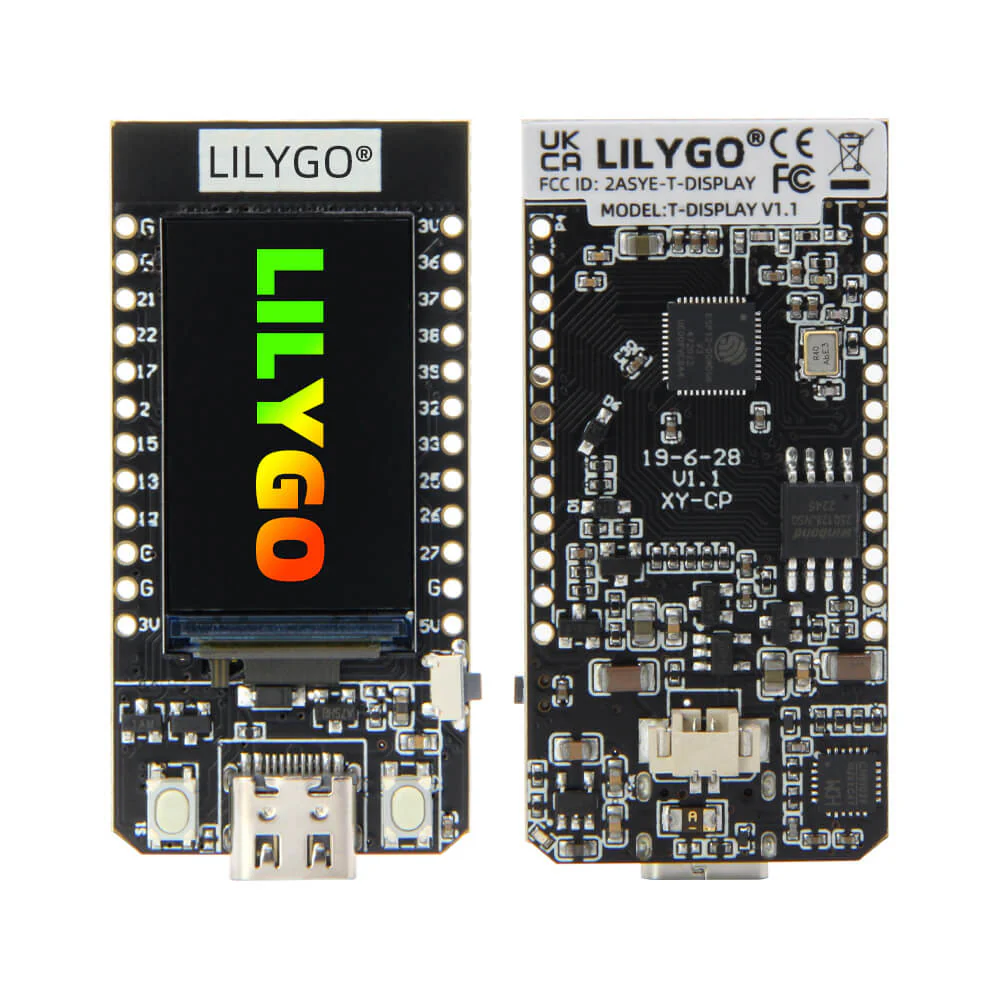
T-Display
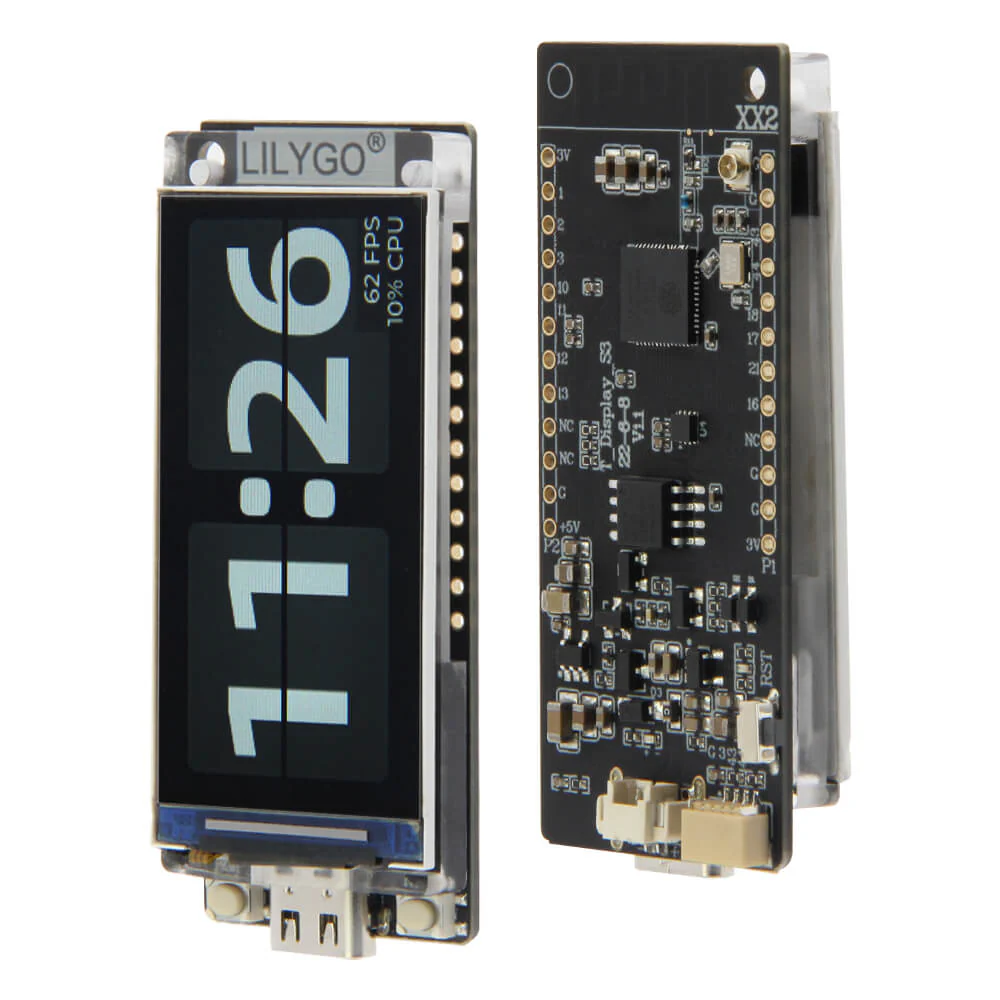
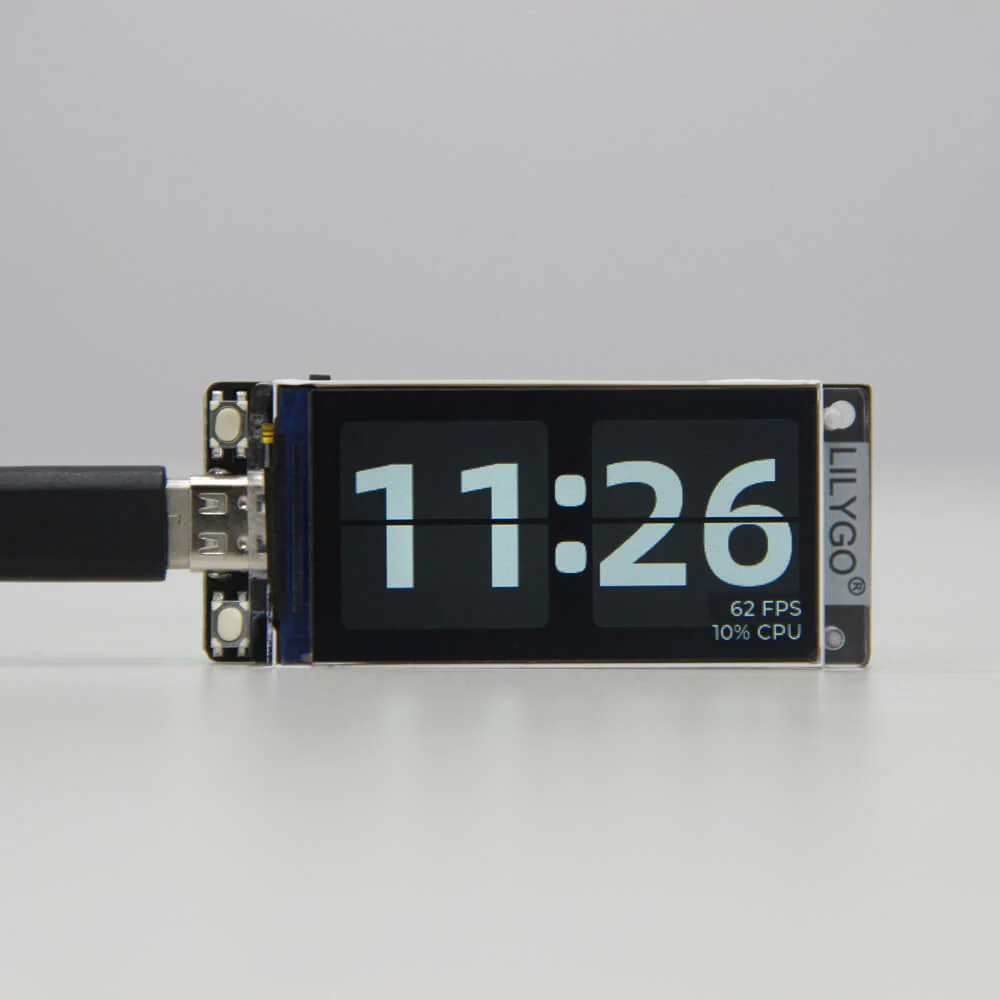
A basic development board with LCD, and a built-in ESP32 chip as master control, supports daily entry-level programming.
Specifications
| MCU | ESP32 Xtensa dual-core LX6 microprocessor |
| Wireless Connectivity | Wi-Fi 802.11 b/ g/ n, BL V4.2+BLE |
| Programming Platform | Arduino-ide、Micropython |
| Serial chip | CH9102 |
| Optional | Flash: 4M/16M |
| Onboard functions | Buttons: l006+I007, battery power detection |
Description
For 1.14 inch ST7789V IPS LCD
- Resolution: 135 x 240
- High Density 260 PPI
- 4-Wire SPI interface
- Working Power Supply: 3.3V
- 1.14" diagonal
- Full-color TFT Display
- Drive: ST7789
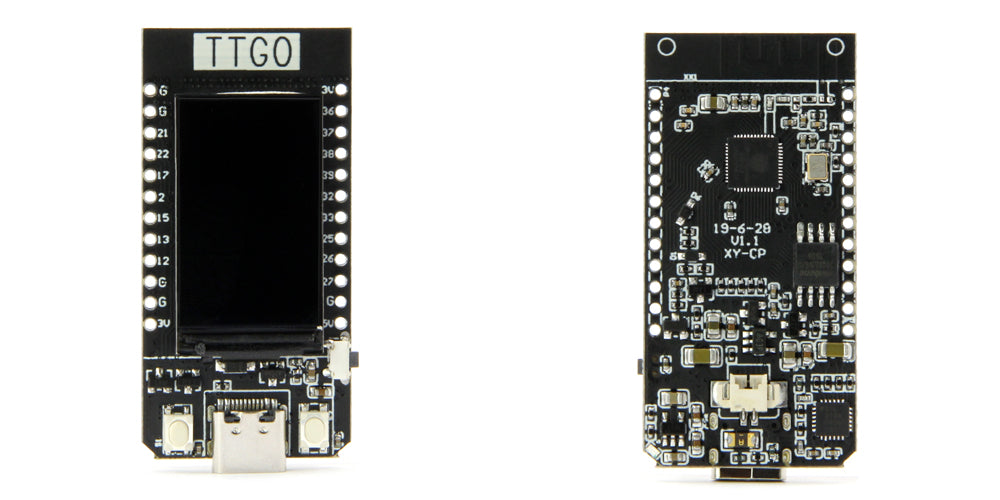
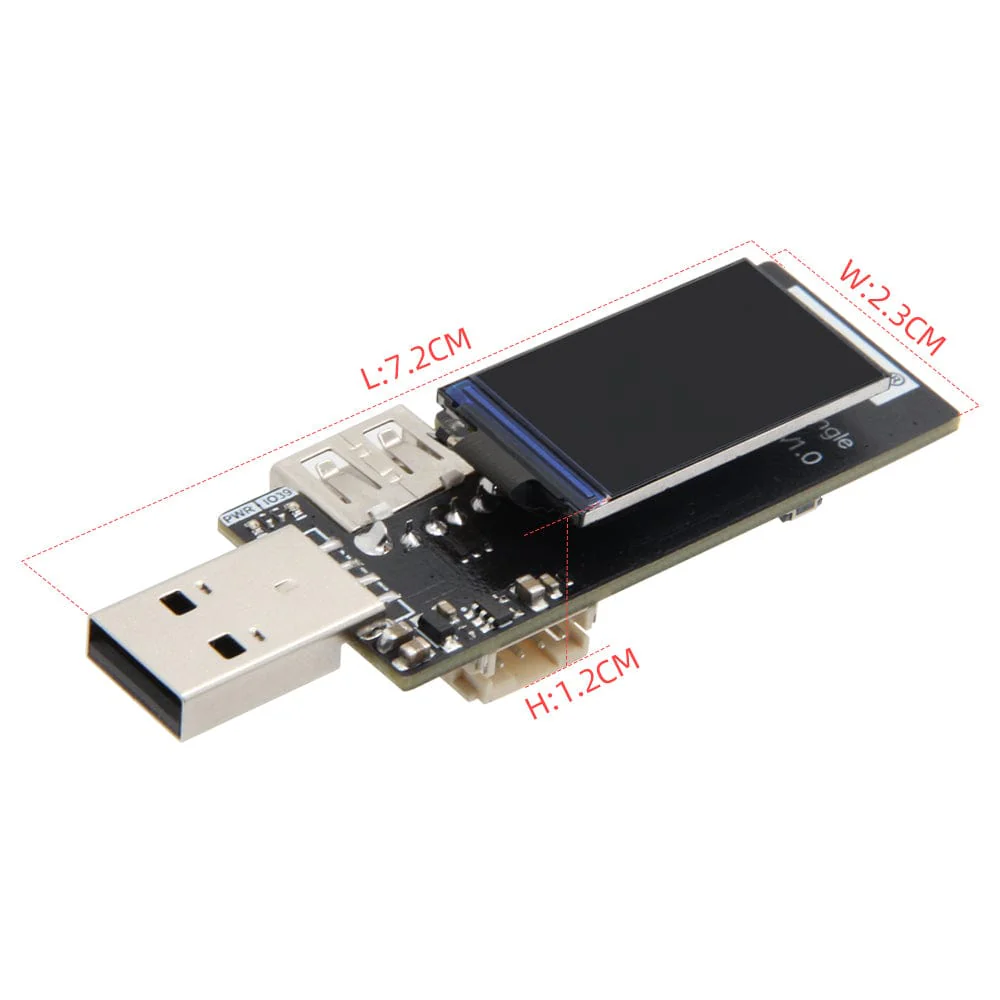
Size
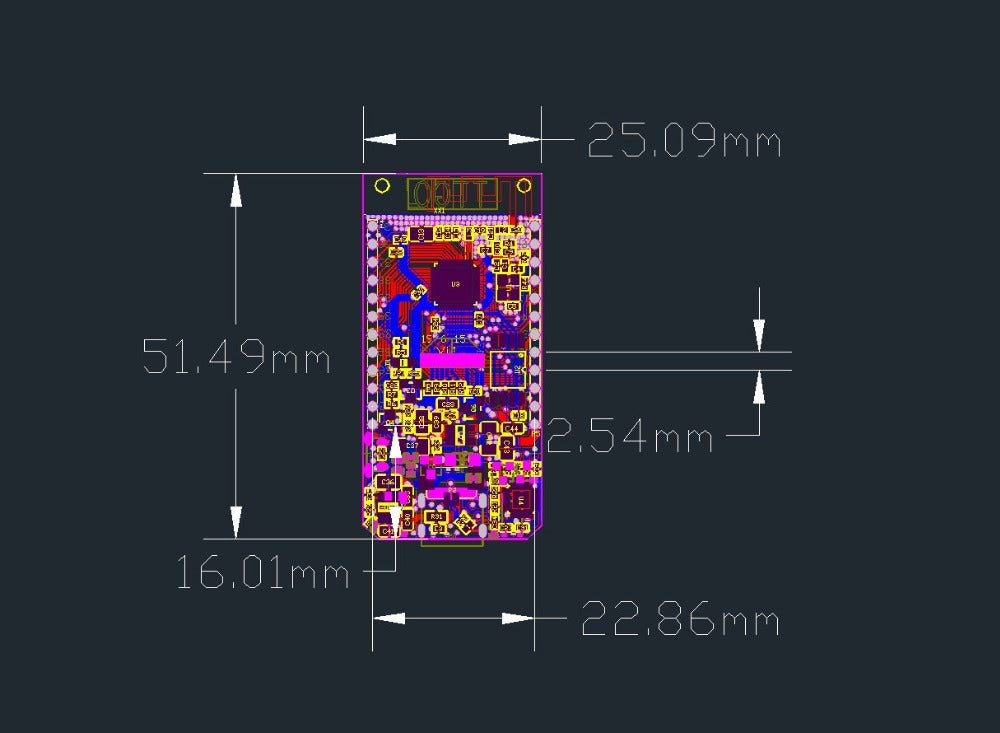
Pin diagram
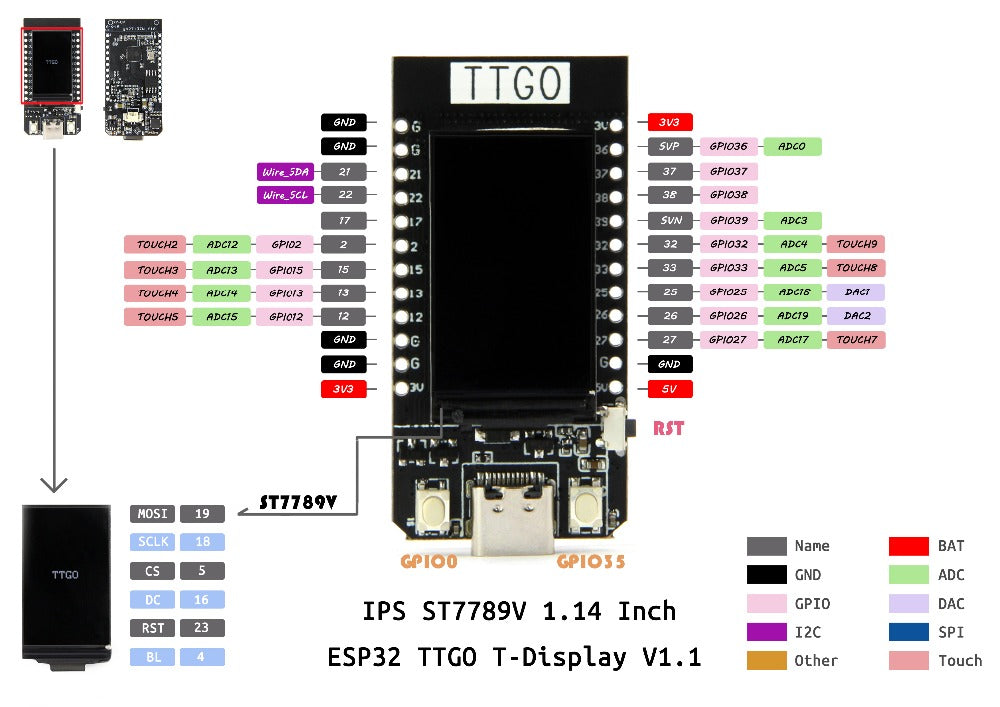
T-Display CH9102F Chip [4MB/ 16MB ]Options
-
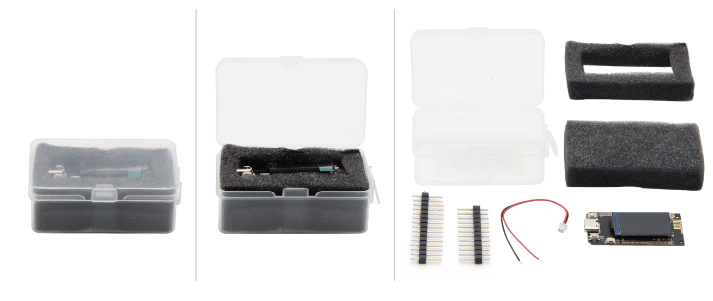
1 X TTGO T-Display
-
1 X Power Cable
-
2 X Pin
Technology Support
You can also get more technical support on GitHub
Quick start
- Copy TFT_eSPI to the <C:\Users\Your User Name\Documents\Arduino\libraries> directory
- Open Arduino IDE, find TFT_eSPI in the file, and for example, the T-Display factory test program is located at TFT_eSPI -> FactoryTest, you can also use other sample programs provided by TFT_eSPI 3 In the Arduino IDE tool options, select the development board ESP32 Dev Module, select Disable in the PSRAM option, select 4MB in the Flash Size option, Other keep the default
- Select the corresponding serial port. If you are not sure, please remove all the serial ports, leaving the board in the USB connection state, just select that one
- Finally, click upload, the right arrow next to the tick
SD card connection
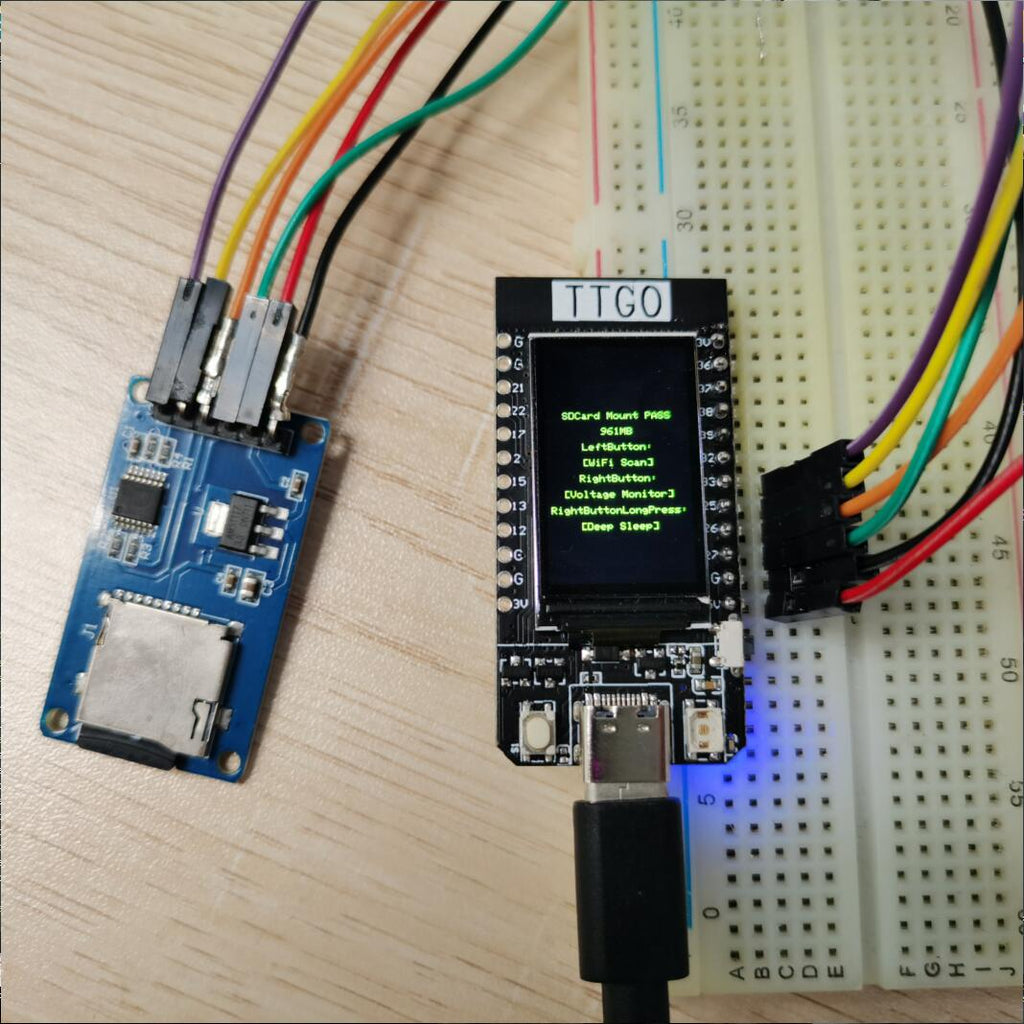
Demonstrate how to use the second SPI device, using the SD card as a demonstration device
| Name | V18 |
| TFT Driver | ST7789 |
| TFT_MIS | N/A |
| TFT_MOSI | 19 |
| TFT_SCLK | 18 |
| TFT_CS | 5 |
| TFT_DC | 16 |
| TFT_RST | N/A |
| TFT_BL | 4 |
| I2C_SDA | 21 |
| I2C_SCL | 22 |
| ADC_IN | 34 |
| BUTTON1 | 35 |
| BUTTON2 | 0 |
| ADC Power | 14 |
Certificate
Has passed CE/ FCC/ UKCA/ MIC certification
(LILYGO exclusive; unauthorized use is prohibited, otherwise, legal responsibility will be pursued.)
If necessary, please refer to our certification page
A basic development board with LCD, and a built-in ESP32 chip as master control, supports daily entry-level programming.
Specifications
| MCU | ESP32 Xtensa dual-core LX6 microprocessor |
| Wireless Connectivity | Wi-Fi 802.11 b/ g/ n, BL V4.2+BLE |
| Programming Platform | Arduino-ide、Micropython |
| Serial chip | CH9102 |
| Optional | Flash: 4M/16M |
| Onboard functions | Buttons: l006+I007, battery power detection |
Description
For 1.14 inch ST7789V IPS LCD
- Resolution: 135 x 240
- High Density 260 PPI
- 4-Wire SPI interface
- Working Power Supply: 3.3V
- 1.14" diagonal
- Full-color TFT Display
- Drive: ST7789
Size
Pin diagram
T-Display CH9102F Chip [4MB/ 16MB ]Options
-
1 X TTGO T-Display
-
1 X Power Cable
-
2 X Pin
Technology Support
You can also get more technical support on GitHub
Quick start
- Copy TFT_eSPI to the <C:\Users\Your User Name\Documents\Arduino\libraries> directory
- Open Arduino IDE, find TFT_eSPI in the file, and for example, the T-Display factory test program is located at TFT_eSPI -> FactoryTest, you can also use other sample programs provided by TFT_eSPI 3 In the Arduino IDE tool options, select the development board ESP32 Dev Module, select Disable in the PSRAM option, select 4MB in the Flash Size option, Other keep the default
- Select the corresponding serial port. If you are not sure, please remove all the serial ports, leaving the board in the USB connection state, just select that one
- Finally, click upload, the right arrow next to the tick
SD card connection
Demonstrate how to use the second SPI device, using the SD card as a demonstration device
| Name | V18 |
| TFT Driver | ST7789 |
| TFT_MIS | N/A |
| TFT_MOSI | 19 |
| TFT_SCLK | 18 |
| TFT_CS | 5 |
| TFT_DC | 16 |
| TFT_RST | N/A |
| TFT_BL | 4 |
| I2C_SDA | 21 |
| I2C_SCL | 22 |
| ADC_IN | 34 |
| BUTTON1 | 35 |
| BUTTON2 | 0 |
| ADC Power | 14 |
Certificate
Has passed CE/ FCC/ UKCA/ MIC certification
(LILYGO exclusive; unauthorized use is prohibited, otherwise, legal responsibility will be pursued.)
If necessary, please refer to our certification page
Original: $8.99
-70%$8.99
$2.70Description
A basic development board with LCD, and a built-in ESP32 chip as master control, supports daily entry-level programming.
Specifications
| MCU | ESP32 Xtensa dual-core LX6 microprocessor |
| Wireless Connectivity | Wi-Fi 802.11 b/ g/ n, BL V4.2+BLE |
| Programming Platform | Arduino-ide、Micropython |
| Serial chip | CH9102 |
| Optional | Flash: 4M/16M |
| Onboard functions | Buttons: l006+I007, battery power detection |
Description
For 1.14 inch ST7789V IPS LCD
- Resolution: 135 x 240
- High Density 260 PPI
- 4-Wire SPI interface
- Working Power Supply: 3.3V
- 1.14" diagonal
- Full-color TFT Display
- Drive: ST7789
Size
Pin diagram
T-Display CH9102F Chip [4MB/ 16MB ]Options
-
1 X TTGO T-Display
-
1 X Power Cable
-
2 X Pin
Technology Support
You can also get more technical support on GitHub
Quick start
- Copy TFT_eSPI to the <C:\Users\Your User Name\Documents\Arduino\libraries> directory
- Open Arduino IDE, find TFT_eSPI in the file, and for example, the T-Display factory test program is located at TFT_eSPI -> FactoryTest, you can also use other sample programs provided by TFT_eSPI 3 In the Arduino IDE tool options, select the development board ESP32 Dev Module, select Disable in the PSRAM option, select 4MB in the Flash Size option, Other keep the default
- Select the corresponding serial port. If you are not sure, please remove all the serial ports, leaving the board in the USB connection state, just select that one
- Finally, click upload, the right arrow next to the tick
SD card connection
Demonstrate how to use the second SPI device, using the SD card as a demonstration device
| Name | V18 |
| TFT Driver | ST7789 |
| TFT_MIS | N/A |
| TFT_MOSI | 19 |
| TFT_SCLK | 18 |
| TFT_CS | 5 |
| TFT_DC | 16 |
| TFT_RST | N/A |
| TFT_BL | 4 |
| I2C_SDA | 21 |
| I2C_SCL | 22 |
| ADC_IN | 34 |
| BUTTON1 | 35 |
| BUTTON2 | 0 |
| ADC Power | 14 |
Certificate
Has passed CE/ FCC/ UKCA/ MIC certification
(LILYGO exclusive; unauthorized use is prohibited, otherwise, legal responsibility will be pursued.)
If necessary, please refer to our certification page